Nuclay Solutions – Page 2 – Your One Stop Digital Solution

Nuclay Solutions

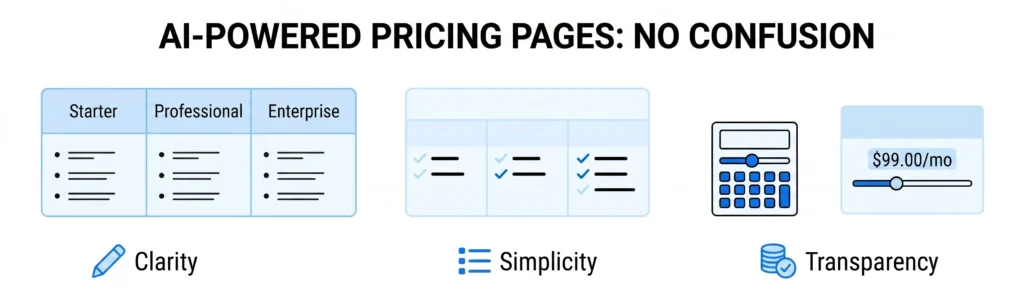
It uses minimal UI illustrations to highlight three core pillars: Clarity (clean plan tiers), Simplicity (simplified feature comparison), and Transparency (an interactive pricing calculator and slider).
App Development, Content, CRM, Databases, Information, LLM & AI Chatbot, Salesforce, SEO, Technology, Trends, Website Design, Website Development

AI for Pricing Pages: How to Present Rates Without Confusion

A confused prospect never buys. The pricing page is often the most critical point of friction on a website. It is where a visitor transitions from an interested observer to a potential buyer. Yet, many companies overcomplicate this page by offering too many choices, hidden fees, or highly technical tier descriptions. When a user feels overwhelmed by options, they usually leave the page to “think about it” and rarely return. In 2026, AI-Driven Layout and Copy Tools are being used to eliminate this friction. By utilizing AI to structure your pricing tiers, you can present your rates in a transparent, easy-to-understand format that builds trust and increases sales. 1. Using AI to Standardize Plan Names and Descriptions Many businesses create internal names for their pricing tiers that make sense to the team but confuse the public (e.g., “The Velocity Pack” vs. “The Enterprise Plan”). 2. Simplifying the “Feature Checklist” Matrix It is tempting to list every single technical feature your business offers in a giant comparison chart. While technical buyers might appreciate this, the average decision-maker will get lost in the details. 3. Creating Clear Dynamic Add-On Systems If your business doesn’t have fixed pricing and relies on custom quotes or modular add-ons, the math can quickly become confusing for the user. 4. Writing Benefits-Focused FAQs for Objections Even with a clean layout, customers will always have questions before they enter their credit card information. They want to know about cancellation policies, refund terms, or setup fees. The Outcome: Transparent Pricing That Builds Trust A successful pricing page does not hide information; it simplifies it. By using AI to clean up your text, organize your feature tables, and clarify your terms, you make the buying process feel effortless. When your rates are transparent and easy to understand, you remove the final barrier between a prospect and a sale. At Nuclay Solutions, we specialize in building high-converting pricing architectures. We help you use data and AI logic to turn your rate sheets into clear, interactive, and high-performing digital checkout paths. Closing Deals or Causing Hesitation? Is your pricing page helping you close deals, or is it causing your customers to hesitate? Connect with the Nuclay team to optimize your pricing page. Optimize Your Pricing Page
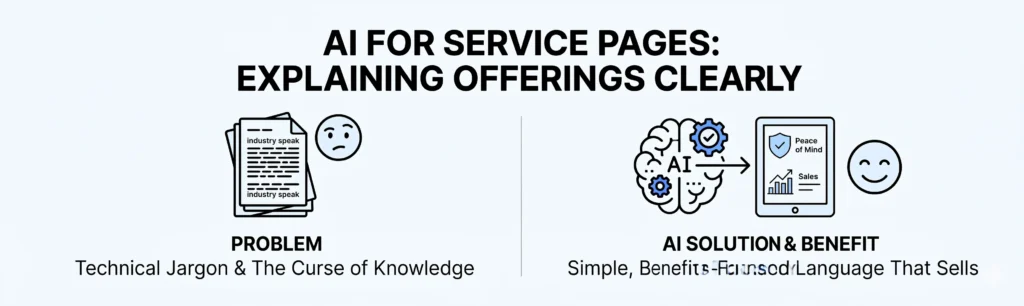
Minimalist horizontal banner showing a "Problem" side with technical jargon and a "Solution" side featuring an AI brain icon transforming complex text into clear sales benefits.
App Development, Content, CRM, Databases, Information, LLM & AI Chatbot, Salesforce, SEO, Technology, Trends, Website Design, Website Development

AI for Service Pages: Explaining Your Offerings in Clear, Simple Language

If a customer cannot understand what you do in five seconds, they will find someone else who explains it better. Many business owners are experts in their fields, which often leads to a common problem: “The Curse of Knowledge.” When you know your industry inside and out, it is easy to fill your website with technical jargon and complex descriptions. While this sounds professional to you, it often confuses potential customers who are simply looking for a solution to their problem. In 2026, AI-Assisted Writing is the most effective tool for bridging this gap. AI can help you translate “industry speak” into clear, benefits-focused language that resonates with your audience. 1. Rewriting Technical Jargon into Simple Benefits Jargon is a barrier to sales. For example, a cloud security company might say they provide “End-to-end AES-256 encryption with zero-trust architecture.” To a regular business owner, that sounds complicated. 2. Simplifying Complex Sentences Long, winding sentences make your service pages difficult to read. If a visitor has to read a paragraph twice to understand what you are offering, your website’s “bounce rate” (the speed at which people leave) will increase. 3. Creating a Consistent Tone of Voice If different team members have written different parts of your website, your service pages might feel unorganized. One page might sound very formal, while another sounds casual. 4. Answering the “So What?” Question Every service page should answer the customer’s most important question: “How does this help me?” Many websites list what they do, but forget to explain why it matters. The Outcome: Service Pages That Actually Sell The goal of your website is not to prove how smart you are; it is to prove how much you can help. By using AI to simplify your language and focus on benefits, you remove the “friction” that stops people from buying. You turn a complicated list of tasks into a clear set of results. At Nuclay Solutions, we use AI-driven content tools to help our clients refine their messaging. We help you take your deep industry expertise and turn it into a clear, high-converting digital presence. Talking to Peers or Your Customers? Stop losing sales to complex jargon. Connect with the Nuclay team to simplify your service pages and turn technical features into clear customer benefits. Simplify Your Services

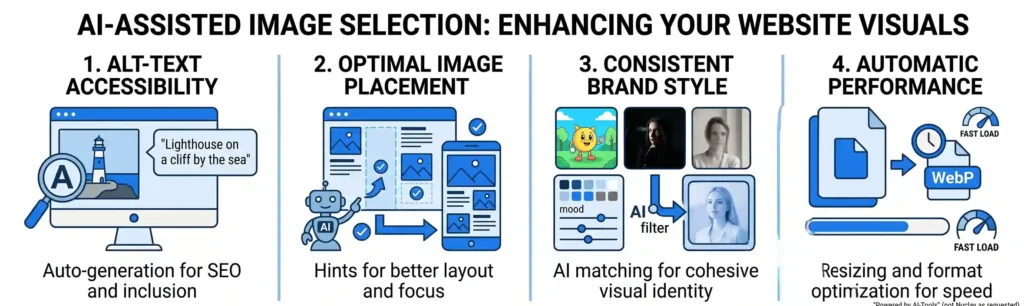
A horizontal banner divided into four sections illustrating AI benefits: automated alt-text, optimal image placement, consistent brand style matching, and automatic performance optimization using WebP format.
App Development, Content, CRM, Databases, Information, LLM & AI Chatbot, Salesforce, SEO, Technology, Trends, Website Design, Website Development

AI-Assisted Image Selection: How to Pick Better Visuals for Your Website

You don’t need a professional creative director to ensure your website looks cohesive and professional. Selecting the right images for your website is often more difficult than writing the text. Business owners often struggle with images that don’t match their brand style, photos that slow down their page speed, or visuals that fail to describe what the business actually does. In 2026, AI-Assisted Image Selection is changing this. Instead of spending hours scrolling through stock photo sites, you can use AI to identify the best visuals, organize your layout, and ensure your images are accessible to everyone. 1. Improving Accessibility with Automated Alt-Text Search engines and screen readers cannot “see” a photo; they rely on Alt-Text (Alternative Text) to understand what an image represents. Manually writing descriptions for every photo in your library is a tedious task that often gets ignored. 2. Using AI for Layout Hints and Placement Where you place an image is just as important as the image itself. An image that looks great on a desktop might cut off a person’s head on a mobile screen, or it might distract the user from your main “Call to Action” button. 3. Maintaining a Consistent Brand Style One of the most common mistakes on small business websites is “Visual Clutter”—using a mix of bright cartoons, dark professional photos, and casual smartphone shots. This makes the brand look unorganized. 4. Automatic Image Optimization for Performance High-quality images are often large files that can make your website load slowly. If a page takes more than three seconds to load, most visitors will leave. The Outcome: Professional Design Without the Effort AI-assisted image tools act as a “Digital Design Assistant.” They handle the technical and repetitive parts of web design – like writing descriptions and optimizing file sizes – so you can focus on the big picture. By using AI to guide your style and layout, you ensure your website doesn’t just have pictures, but has the right pictures in the right places. At Nuclay Solutions, we integrate these AI design tools into our clients’ websites to make content management simple. We help you build a visual identity that is consistent, accessible, and high-performing. Random Photos or a Professional Brand? Does your website truly represent your quality? Connect with the Nuclay team to upgrade your website visuals and create a lasting impression. Upgrade Your Visuals

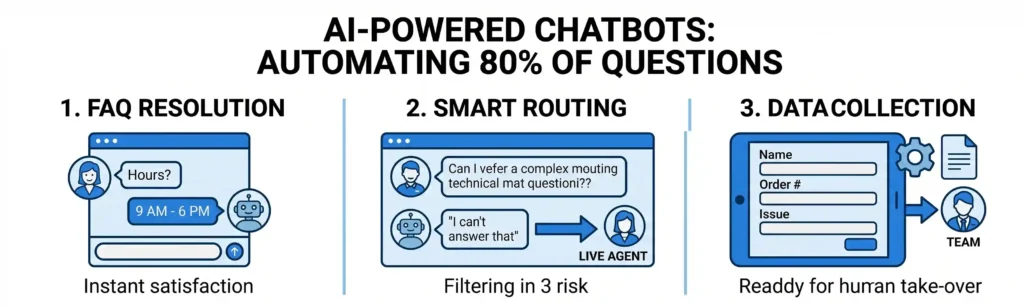
Banner showing AI chatbots handling FAQ resolution, smart routing to agents, and data collection to automate 80% of questions.
App Development, Content, CRM, Databases, Information, LLM & AI Chatbot, Salesforce, SEO, Technology, Trends, Website Design, Website Development

AI-Powered Chatbots: Answering 80% of Customer Questions Automatically

You don’t need a complex digital brain to save your team hours of manual work every week. For many small and medium-sized businesses, the customer support inbox is a constant bottleneck. Most of the inquiries are repetitive: “What are your hours?” “Where is my order?” or “How do I reset my password?” When your staff spends their day answering the same five questions, they have no time for high-value tasks. By using Simple AI-Assisted Chatbots, you can automate the majority of these common interactions. These tools act as a first line of defense, providing instant answers to your customers without requiring a human to type a single word. The Difference Between Simple Bots and Complex Agents Before starting, it is important to distinguish between “Simple Bots” and “Complex Custom Agents.” For 80% of businesses, a simple, well-structured bot is more than enough to handle daily customer traffic. Three Ways Simple Bots Improve Your Efficiency 1. Instant FAQ Resolution Most customers want an answer immediately. If they have to wait four hours for an email reply about your shipping policy, they might go to a competitor. 2. Smart Routing to Humans A simple bot doesn’t have to solve every problem. Its job is to filter the easy stuff and pass the difficult stuff to the right person. 3. Basic Data Collection (Lead Capture) A chatbot can act as a digital receptionist, gathering the basic information you need before a human even joins the conversation. Simple Setup for Immediate Impact The best part about modern AI-assisted bots is that they are designed to be “No-Code.” You don’t need a developer to create a basic flow that covers your most common business hours, service lists, and pricing questions. At Nuclay Solutions, we help businesses implement these “Smart Filters” into their websites and social media channels. We ensure the bot’s tone matches your brand and that the hand-off from bot to human is seamless. Repetitive Tasks or Real Growth? Is your team still answering the same questions every day? Connect with the Nuclay team to automate your customer support and free up your time. Automate Your Support

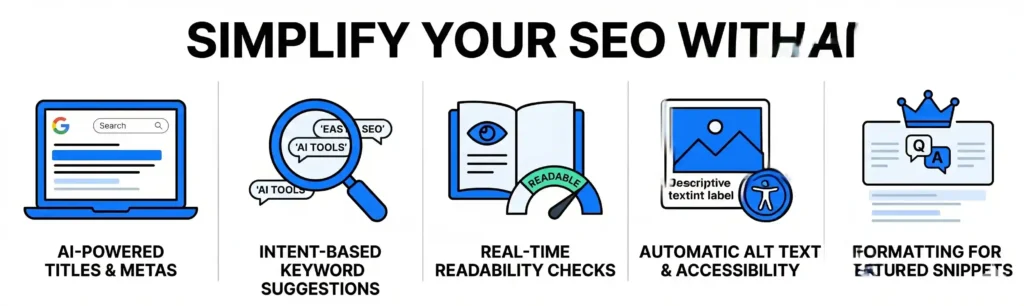
Horizontal banner titled "SIMPLIFY YOUR SEO WITH AI" featuring five icons: a laptop, magnifying glass, open book, photo frame, and a crown, representing automated SEO tasks.
App Development, Content, CRM, Databases, Information, LLM & AI Chatbot, Salesforce, SEO, Technology, Trends, Website Design, Website Development

AI for Basic Website SEO: How to Optimize Pages Without Being an Expert

You don’t need to be an SEO specialist to make sure your website shows up on Google. For many business owners, Search Engine Optimization (SEO) feels like a technical mystery. In the past, ranking your website required a deep understanding of complex algorithms and hours of manual keyword research. But in 2026, AI has simplified the process, allowing anyone to optimize their web pages effectively without needing a technical background. By using simple AI-assisted tools, you can ensure your content is structured correctly so that both search engines and human readers can find and understand it. 1. Automated Title and Meta Description Creation The first thing a person sees on Google is your page title and a short summary called a Meta Description. These are critical because they tell the user (and the search engine) exactly what is on the page. 2. Simplifying Keyword Research Keywords are the phrases people type into search bars. Finding the right ones used to require expensive software and data analysis. 3. Real-Time Readability Checks Google prioritizes websites that are easy to read. If your sentences are too long or your language is too complicated, visitors will leave your site quickly, which hurts your ranking. 4. Automatic Image Optimization Search engines cannot “see” images; they can only read the text descriptions attached to them (known as Alt Text). Many people forget to add this, making their images invisible to search results and difficult for visually impaired users. 5. Structuring Content for Featured Snippets Sometimes Google shows a “Summary” at the very top of the search results page. This is known as a Featured Snippet. Being chosen for this spot can significantly increase your traffic. Better Rankings with Less Effort Using AI for SEO doesn’t mean the AI does all the work, but it acts as a guide to prevent common mistakes. By letting AI handle titles, keyword suggestions, and readability, you can focus on writing about your business while the technology ensures your work is “Search Engine Ready.” At Nuclay Solutions, we build these simple AI assistants directly into your website’s backend. This allows your team to publish content with confidence, knowing that the SEO is being handled automatically. Search Optimized or Just Guessing? Is your website visible to the right audience? Connect with the Nuclay team to simplify your SEO and start driving meaningful results. Simplify Your SEO

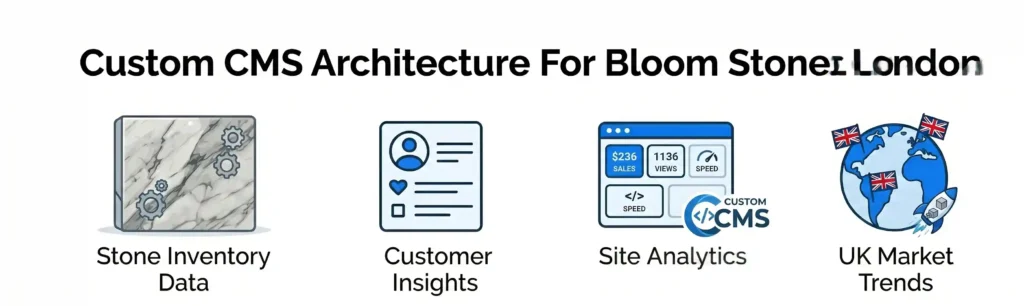
Illustration of custom CMS features for Bloom Stones London, including stone inventory data, customer insights, site analytics, and UK market trends.
App Development, Content, CRM, Databases, Information, LLM & AI Chatbot, Salesforce, SEO, Technology, Trends, Website Design, Website Development

Efficiency by Design: How Custom CMS Architecture Transformed Bloom Stones London

A premium brand requires a digital storefront that is as durable and high-quality as the materials it sells. With over 25 years of experience in the United Kingdom, Bloom Stones London is a veteran in the sourcing and distribution of premium natural and engineered stones. When they prepared for a major promotional campaign, they needed more than just a website; they needed a high-performance digital showroom. Nuclay Solutions was brought in to lead a complete digital overhaul, ensuring the brand’s 25-year evolution was reflected in a modern, technically robust platform designed for growth. 1. Visual Quality as a Driver of Sales In the stone industry, the decision to buy is driven by texture, pattern, and color. Our design strategy focused on “Visual Storytelling,” ensuring that the stones themselves remained the primary focal point of the user experience. 2. Technical Independence Through Custom CMS A major challenge for Bloom Stones was the operational delay caused by their previous website. Every time a new batch of stone arrived or a price changed, they had to wait for a developer to update the site. We solved this by building a customized WordPress framework that empowers their team. 3. Building for Marketing and Growth The project was timed to coincide with a significant marketing push. Therefore, the site had to be “Marketing Ready” from day one—built to handle increased traffic and convert visitors into business leads. The Outcome: A Premium Digital Storefront The Bloom Stones project is a successful blend of luxury branding and functional technology. By moving from a static page to a dynamic, CMS-driven platform, Bloom Stones London gained a digital storefront that reflects their premium materials while providing the independence to manage their growth in real-time. The final result by Nuclay Solutions provides the team with the speed they need to stay competitive and the visual impact required to lead the UK stone market. Operational Bottleneck or Growth Tool? Is your website holding you back? Connect with the Nuclay team to discuss your custom CMS architecture and unlock your potential. Discuss Your Architecture

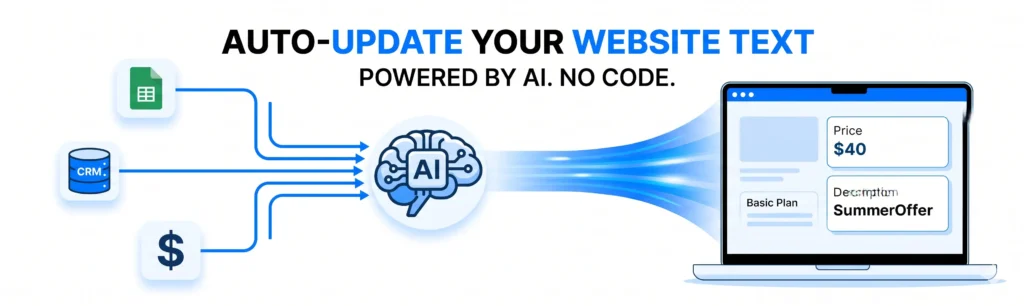
A conceptual diagram showing data from sources like spreadsheets and CRMs flowing into an AI "brain," which then automatically pushes updated prices and offers to a website interface.
App Development, Content, CRM, Databases, Information, LLM & AI Chatbot, Salesforce, Technology, Trends, Website Design, Website Development

AI-Assisted Website Content: How to Update Text Automatically Without Code

Managing website copy should not require a developer every time a price changes or a service description needs an update. In 2026, the traditional cycle of “submit a ticket, wait for a developer, and publish a change” is becoming obsolete. Most businesses struggle to keep their websites up to date because the process is too slow. As a result, sites often display outdated information, which leads to a loss of customer trust and missed sales opportunities. By using AI-Assisted Content Management, businesses can now update their website text automatically based on real-time data, without writing a single line of code. The Problem with Manual Content Updates In a traditional setup, your website is a static display. If you want to change a headline to reflect a new promotion or update a project description, someone has to log into a CMS (like WordPress or Contentful) and manually type in the new text. This manual process creates three main issues: How AI Updates Your Website Automatically At Nuclay, we build systems that connect your website directly to your business data using AI Agents. This allows the website to “read” your internal updates and rewrite itself accordingly. 1. Connecting to Real-Time Data Sources Instead of a human typing in text, the AI is connected to your internal tools—like your CRM, a Google Sheet, or an inventory database. When you update a price or a service detail in your internal system, the AI detects the change and prepares the new website copy instantly. 2. Context-Aware Content Generation The AI doesn’t just copy and paste data; it rewrites it to fit the tone and style of your website. For example, if you add a “New Achievement” to your company records, an AI Agent can automatically draft a new “About Us” paragraph or a homepage announcement that sounds professional and stays on-brand. 3. Automated SEO Optimization When the AI updates your text, it can also ensure the new content is optimized for search engines. It automatically checks for relevant keywords and ensures the meta descriptions match the updated information, ensuring your site stays visible without manual SEO work. The Benefits of a Self-Updating Website When your website can update its own text, your digital presence becomes an active asset rather than a static page. Moving Toward Autonomous Content with Nuclay Transitioning to an AI-assisted website does not require a complete rebuild of your current site. Nuclay Solutions specializes in building the “intelligence layer” that connects your existing website to AI-driven data sources. We help you move away from manual editing and toward a system where your website manages itself. Manual Updates or Self-Updating? Is your team still manually typing updates? Connect with the Nuclay team to automate your website content and focus on growth. Automate Your Content

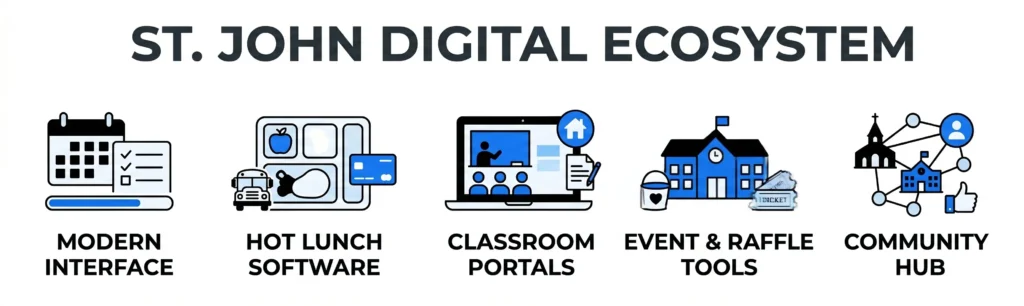
A row of five icons representing the St. John Digital Ecosystem: Modern Interface, Hot Lunch Software, Classroom Portals, Event & Raffle Tools, and Community Hub.
App Development, Content, CRM, Databases, Information, LLM & AI Chatbot, Salesforce, Technology, Trends, Website Design, Website Development

Connecting a Chicago Community: The St. John the Evangelist Digital Ecosystem

A digital presence for a community organization must be more than an information page; it must be a functional hub for daily life. St. John the Evangelist, a Chicago-based Parish and School, needed to move away from a traditional website toward a dynamic platform that could handle the diverse needs of students, parents, and parishioners. Nuclay Solutions stepped in as the technology partner to build a system that balances educational requirements with the parish’s administrative and community-focused goals. By utilizing a customized WordPress framework, we created a “Digital First” environment that simplifies everything from homework tracking to fundraising. 1. Modernizing the Community Interface The first step of the transformation was a complete redesign of the web interface. The goal was to create a contemporary look that accurately reflects the mission of the organization while remaining highly functional for a non-technical staff. 2. Custom Software for the “Hot Lunch Program” One of the most specific challenges of this project was automating the school’s lunch management. We developed custom software integrated directly into the site to solve a major administrative bottleneck for both parents and the school. 3. Bridging the Gap Between Classroom and Home A school website is most valuable when it serves as a 24/7 resource for academic success. We built features that turn the site into an active participant in the students’ educational journey. 4. Streamlining Events and Fundraising Fundraising and events are vital for the sustainability of a parish and school. We integrated specific tools to help St. John the Evangelist manage and broadcast their activities more effectively. The Outcome: A Comprehensive Community Hub The collaboration between Nuclay Solutions and St. John the Evangelist resulted in a platform that serves as a central hub for the entire Chicago-based community. By integrating administrative tools, like lunch programs and raffle sales, with educational resources like homework portals, we created a digital ecosystem that saves time for parents and improves efficiency for the staff. The final product is a secure, modern, and user-friendly platform that proves how customized technology can strengthen the connection between an organization and the people it serves. Legacy Systems or Digital-First? Is your organization ready to lead? Connect with the Nuclay team to discuss your custom community platform. Build Your Digital Community .nuclay-minimal-cta a:hover { transform: translateY(-2px); background-color: #2b82ff !important; transition: all 0.2s ease; }

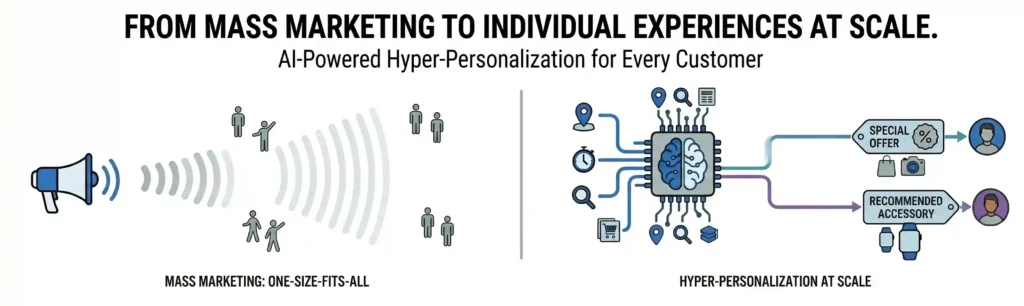
A minimalist horizontal vector banner on a white background, contrasting 'Mass Marketing: One-Size-Fits-All' (left, simple grey figures and a megaphone broadcast) and 'Hyper-Personalization at Scale' (right, complex data-connected AI brain and diverse user outcomes), with clear headings.
App Development, Content, CRM, Databases, Information, LLM & AI Chatbot, Salesforce, Technology, Trends, Website Design, Website Development

From Mass Marketing to Individual Experiences: Hyper-Personalization at Scale

In 2026, putting a customer’s name in an email subject line is no longer “personalization”- it is the bare minimum. Most businesses struggle with a specific paradox: they want to treat every customer like their only customer, but they have thousands of people to serve. Historically, you had to choose between being personal (one-on-one manual outreach) or being scalable (generic mass broadcasts). Through Hyper-Personalization, AI has removed this choice. Businesses can now deliver unique, relevant experiences to every single user at the same time, without increasing the manual workload of their staff. Defining Hyper-Personalization in Today’s Market Hyper-personalization uses real-time data and AI to understand a user’s specific context. While standard personalization looks at who a customer is (their name or location), hyper-personalization looks at how they behave. It tracks what they view, when they are most active, and what specific problems they are trying to solve. The system then adjusts the website, the emails, and the offers to match that specific individual instantly. How AI Enables Personalization for Thousands of Users At Nuclay, we build systems that move away from “one-size-fits-all” marketing. Here is how AI manages this process at scale: 1. Delivering Dynamic Content Instead of sending the same newsletter to 5,000 people, an AI-driven system generates different versions based on individual interests. If a customer spent time looking at “Security Features” on your site, the AI automatically ensures their next email or homepage view highlights your security protocols, rather than generic information. 2. Optimizing Behavioral Timing Not everyone checks their inbox at the same time. Hyper-personalization tools analyze when each specific user is most likely to engage with your brand. The system then sends the content to them at their preferred time, significantly increasing the chances of the message being seen and acted upon. 3. Implementing Predictive Recommendations Based on a user’s past actions and the behavior of similar customers, AI can predict what a user will need next. This is the difference between showing a customer a product they already bought and showing them the specific accessory or service they didn’t know they needed yet. The Business Benefits of Individualized Experiences When you stop treating your audience like a large group and start treating them as individuals, the measurable results follow quickly: Achieving Technical Scale with Nuclay The biggest hurdle to hyper-personalization is often “Fragmented Data.” If your information is spread across different spreadsheets and old databases, an AI cannot learn from it effectively. Nuclay Solutions specializes in organizing your data architecture and building the “intelligence layer” on top of it. We help you move from generic outreach to a high-performance system where every interaction is personalized, automated, and designed for growth. Generic Blast or Individual Impact? Stop sending generic messages. Connect with the Nuclay team to deliver the right message to every individual at scale. Scale Your Personalization .nuclay-minimal-cta a:hover { transform: translateY(-2px); background-color: #2b82ff; transition: all 0.2s ease; }

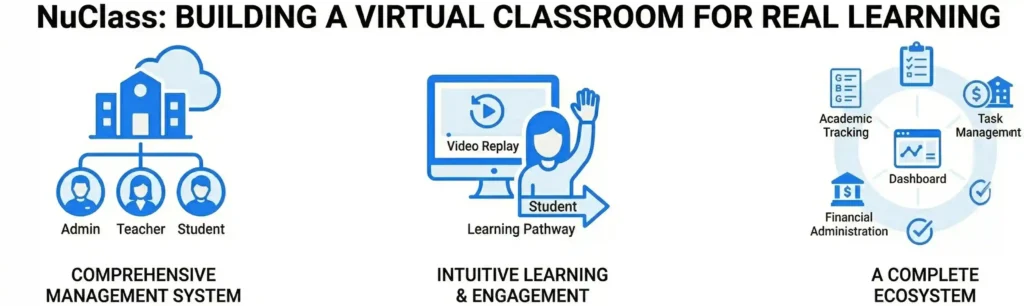
A wide banner image with the heading "NuClass: BUILDING A VIRTUAL CLASSROOM FOR REAL LEARNING." It showcases three distinct graphic sections: a hierarchy chart showing Admin, Teacher, and Student roles connected to a school; a student raising their hand next to a computer screen with a "Video Replay" icon; and a circular ecosystem diagram showing the integration of various school management modules like Dashboard, Task Management, and Financial Administration.
App Development, Content, CRM, Databases, Information, Salesforce, Technology, Trends, Website Design

NuClass: Building a Virtual Classroom for Real Learning

Online education should be about more than just a video call. Most virtual learning tools are generic platforms that were never built for the specific needs of a school. They often feel like administrative chores rather than a lively environment for students and teachers. When Nuclay built NuClass, the goal was to move beyond “generic software” and create a customizable school management system that simplifies the entire educational journey. NuClass is designed to ensure that learning never stops, providing a seamless digital home for schools, institutes, and private educators. A Comprehensive Management System A school is a complex organization with moving parts that extend far beyond the classroom. NuClass was engineered to handle these organizational needs in one integrated tool. Instead of jumping between different apps for fees, grades, and classes, administrators can monitor every aspect of their school from a single dashboard. The platform integrates four core modules: Strategic Architecture for Three Distinct Users A virtual classroom must serve three different groups of people, each with their own goals. NuClass features a strategic architecture that provides separate logins and customized access levels for Admins, Teachers, and Students. To combat the passivity often found in online learning, we included engagement-driven features like the “Raise Hand” option. This ensures that the digital environment remains interactive. Furthermore, the software helps define “Learning Pathways,” creating a clear roadmap for students so they always understand their educational journey and what is expected of them next. Designing an Intuitive Learning Experience A significant portion of the work on NuClass focused on the User Experience (UX). Many management tools are difficult to navigate, which creates “technical friction” that gets in the way of teaching. We focused on making NuClass “simple yet unique.” Empowering Educators with Instructional Tools In a digital space, teachers need tools that allow students to learn at their own pace. NuClass includes a Video Replay feature, allowing teachers to share and reshare recorded lessons. This is essential for students who need to review complex topics or those who might have missed a live session. To ensure broad accessibility, NuClass is offered on a Freemium Model, meaning the basic version is available at no cost. For schools ready to transition to a full digital ecosystem, we provide live demonstrations to show exactly how the platform can be customized to fit their specific curriculum and administrative needs. The Outcome: A Specialized Educational Ecosystem The partnership between the NuClass vision and Nuclay Solutions engineering resulted in a platform that truly understands the classroom. By combining school management, financial tracking, and interactive learning into one seamless interface, NuClass removes the administrative burden from teachers and students. The final product is a “Smart School” solution that proves online learning can be just as engaging and organized as a physical classroom. With a focus on simplicity and engagement, NuClass ensures that technology serves the education, rather than the other other way around. Generic Video Tools or Real Learning? Is your school ready to move beyond basic calls? Connect with the Nuclay team to explore how the NuClass platform can transform your institution. Explore NuClass Now .nuclay-minimal-cta a:hover { transform: translateY(-2px); background-color: #2b82ff; transition: all 0.2s ease; }

Services

Get in touch

Gurugram Office

Dehradun Office

Scroll to Top