The first five minutes a user spends inside your platform or service will determine if they stay forever or quit immediately.
When a client signs up for a new software portal, an online community, or a digital dashboard, they are often met with a blank screen and too many buttons. If your platform doesn’t guide them on what to do next, they will quickly feel overwhelmed, assume the system is too complicated, and never log back in.
In 2026, AI-assisted onboarding pages are fixing this drop-off. By using simple AI tools to create step-by-step guides and friendly pop-up tips (called tooltips), you can help new users see the value of your platform instantly, without any confusion.
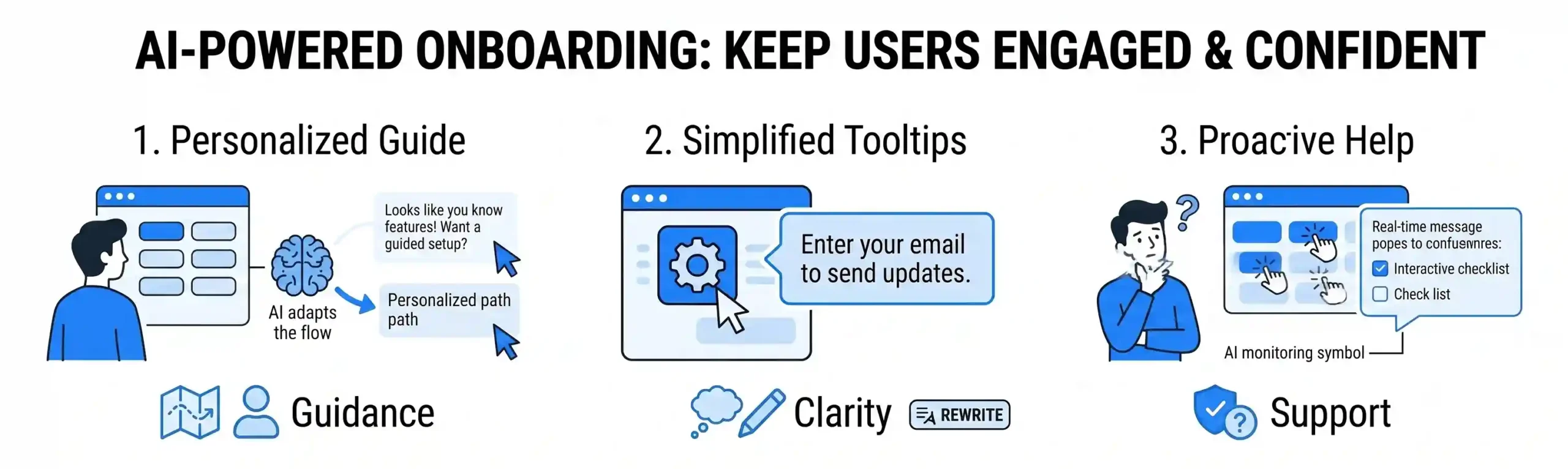
1. Creating Step-by-Step Guides That Adapt to the User
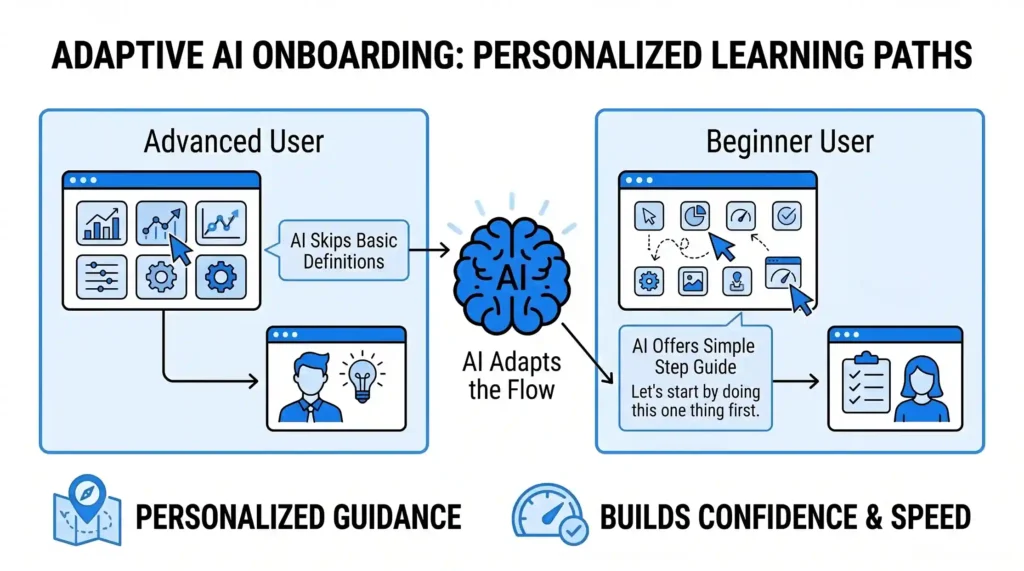
Traditional platform onboarding usually forces every new user through the exact same 10-step tour. This is frustrating because an advanced user gets bored by simple explanations, while a beginner gets lost if the steps move too quickly.
- How AI Helps: AI watches what the user clicks during their first 30 seconds. If a user jumps straight to an advanced feature, the AI skips the basic definitions. If the user hesitates or moves their mouse around aimlessly, the AI steps in with a simple guide: “Let’s start by doing this one thing first.”
- The Benefit: The user gets a completely personalized introduction. They only learn the features they actually need right now, which builds immediate confidence and keeps them moving forward.
2. Using Friendly Tooltips to Explain Hard Features
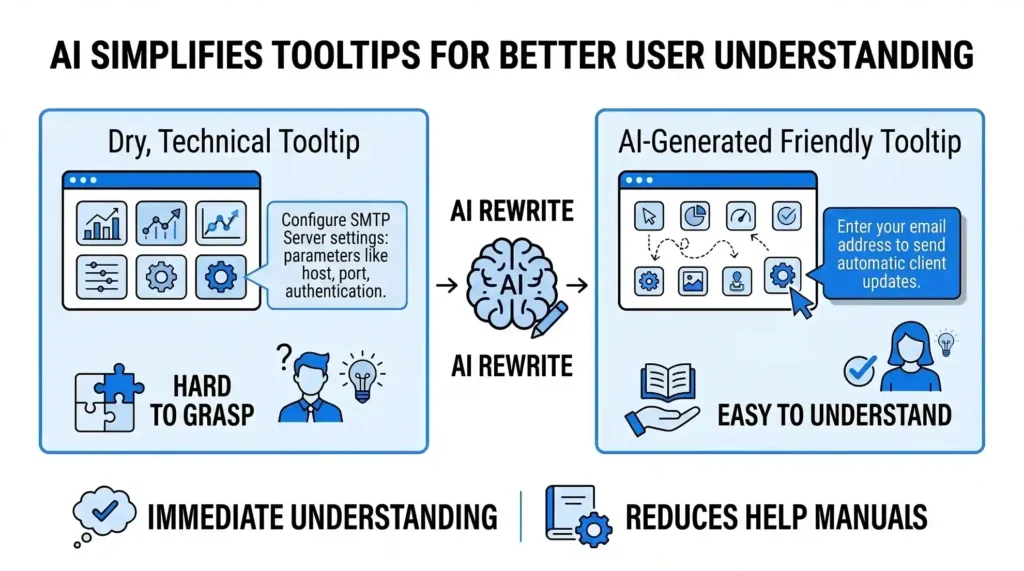
A tooltip is a small information bubble that pops up when a user hovers their mouse over a button or a settings box. Usually, these text boxes are filled with dry technical instructions that don’t make much sense to a beginner.
- How AI Helps: AI can rewrite your platform’s tooltips into plain, everyday language. Instead of a box saying, “Configure your SMTP server settings here,” the AI changes the tooltip to say: “Enter your email address here so the system can send automatic messages to your clients.”
- The Benefit: Users don’t have to leave your platform to read a long help manual or look up a tutorial video. The exact answer they need is delivered right where their mouse is resting, in a simple sentence that is easy to understand.
3. Spotting Confusion Before the User Abandons the Page
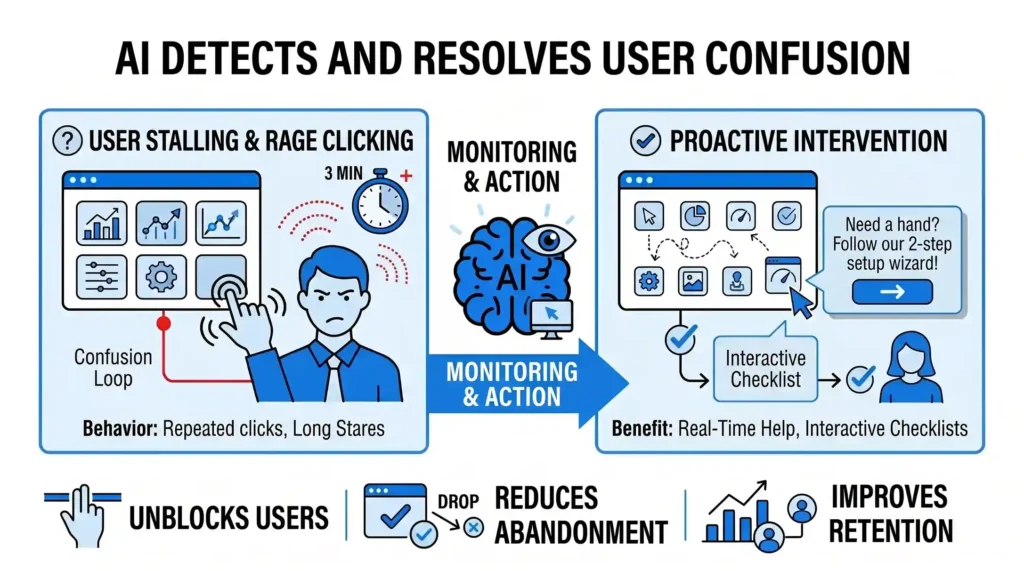
When people get confused by a digital platform, they don’t usually email support; they simply close the tab and forget about it. This behavior is called “rage clicking” or “stalling,” and it is the main reason new platforms lose users.
- How AI Helps: Simple AI models track user behavior on your onboarding pages. If it notices a user clicking the same button over and over without getting a result, or spending three minutes staring at a single page, it flags it as a confusion loop.
- The Benefit: The AI can trigger a helpful, real-time message like: “Need a hand? Click here to follow our 2-step setup wizard,” or pull up a short interactive checklist to unblock the user immediately before they decide to give up.
The Outcome: Happy Users Who Stay Long-Term
Onboarding shouldn’t feel like learning a complicated math equation. By using AI to customize your setup guides, simplify your feature explanations, and spot confusion early, you turn a complex setup process into an easy, welcoming experience. When users understand how your system helps them right away, they stay loyal to your business.
At Nuclay Solutions, we focus on building digital systems that are intuitive and easy to navigate. We help you connect your platforms to smart, simple onboarding tools so your new customers can start using your services with absolute confidence.
Losing Users During Onboarding?
Stop the guesswork. Connect with Nuclay to fix your user flow and skyrocket conversions today.
Fix My Onboarding