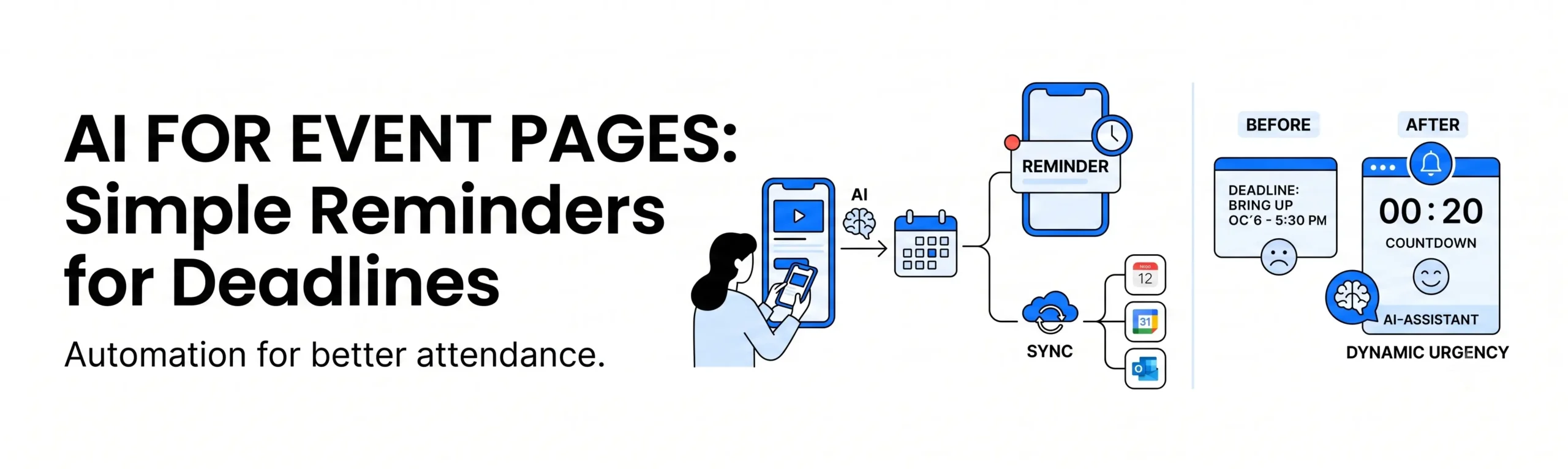
An event page shouldn’t just display a calendar; it should actively help people show up.
Whether you are hosting a local school raffle, a corporate seminar, or a community workshop, your event page has one primary goal: getting people to register and attend. Yet, many organizations struggle with a common problem. Visitors land on the page, look at the dates, mean to sign up later, and then completely forget about it. Deadlines pass, and you miss out on attendees.
In 2026, AI-assisted event management is solving this problem by turning static deadlines into proactive, automated reminders. Instead of forcing users to track your calendar manually, simple AI tools do the tracking for them.
1. Automated “Add to Calendar” Simplification
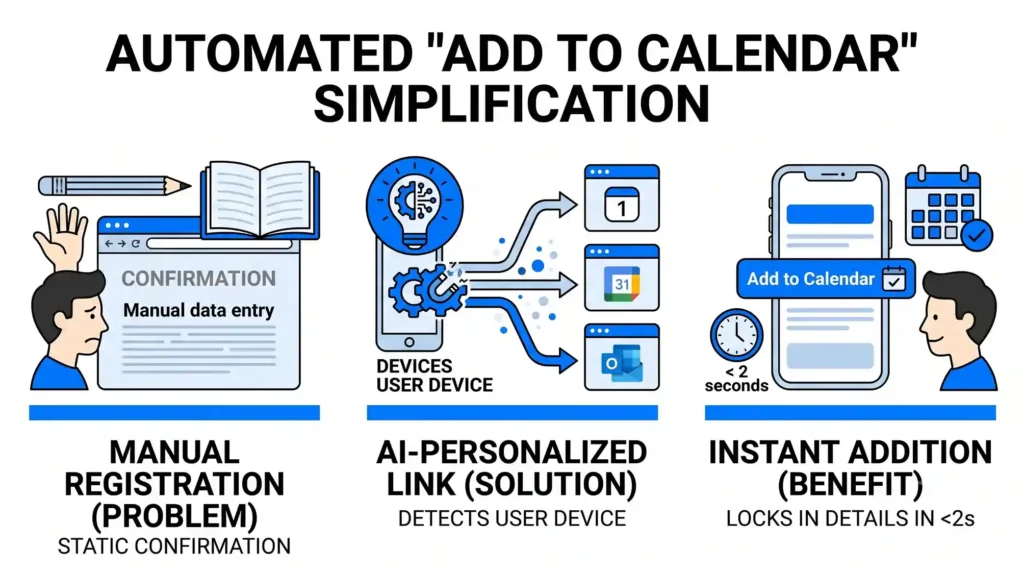
One of the easiest ways to ensure someone forgets an event is to make the registration confirmation a static text block. If a user has to manually open their personal calendar app and type in your event details, they often skip the step entirely.
- How AI Helps: When a user registers or shows interest, an embedded AI tool instantly generates a personalized calendar link. It automatically detects whether the user is browsing on an Apple, Google, or Microsoft device and formats a one-click “Add to Calendar” button perfectly matched to their system.
- The Benefit: It eliminates technical friction. The event, location details, and link are securely locked into the user’s personal schedule in under two seconds, making it much more likely they will remember the date.
2. Smart, Behavior-Based Reminder Streams
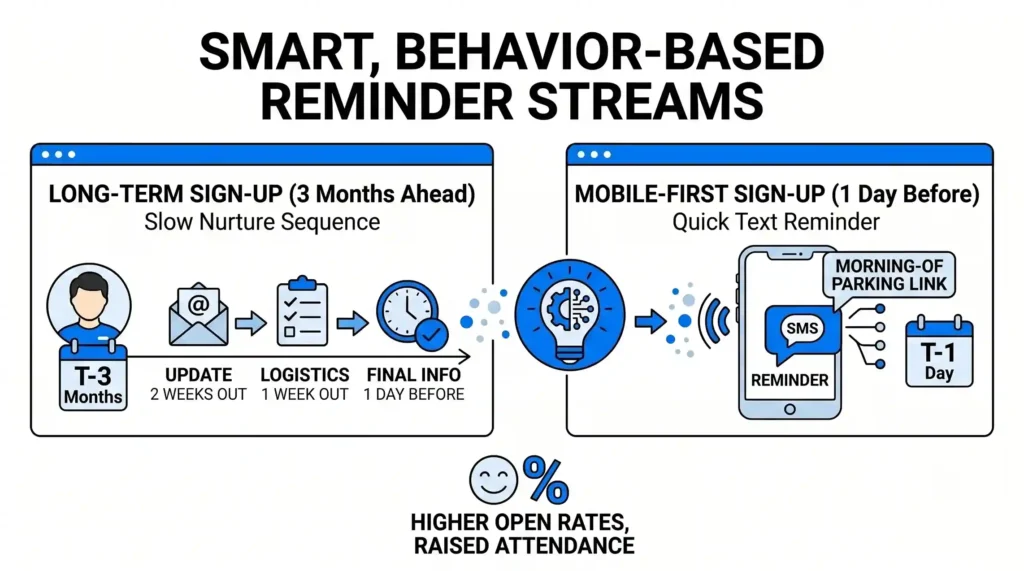
Sending a generic email blast to your entire registration list 24 hours before an event is no longer enough. Some users sign up three months in advance and need a slow nurture sequence, while others sign up the day before and just need a quick text message with a parking link.
- How AI Helps: AI communication assistants track when and how a user registered. It then designs a custom reminder stream for them. For long-term sign-ups, the AI might schedule a brief update email two weeks out. For a mobile-first user who signed up via their smartphone, it might suggest a quick SMS text reminder on the morning of the event.
- The Benefit: Your reminders feel helpful rather than spammy. Because the timing and channel match the user’s behavior, your open rates increase, and your final event attendance rates rise significantly.
3. Dynamic Urgency and Countdown Timers
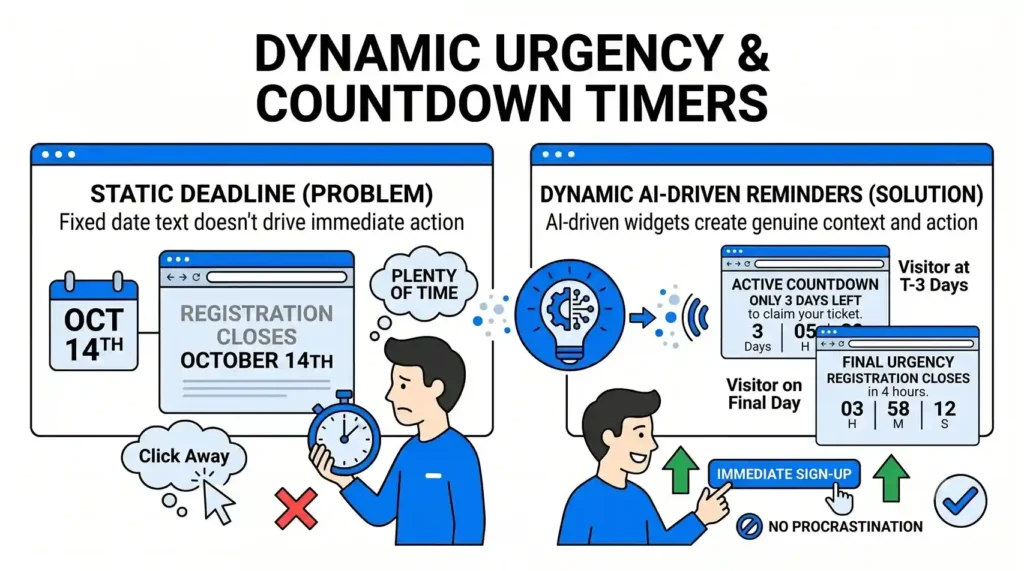
If your event features early-bird pricing or strict registration cut-offs, displaying a fixed date text (like “Registration closes October 14th”) doesn’t create immediate action. People see the date, assume they have plenty of time, and click away.
- How AI Helps: AI-driven layout widgets can change the text on your page dynamically based on the visitor’s current time. If a user visits the page three days before the deadline, the text automatically shifts to an active countdown: “Only 3 days left to claim your ticket.” If they visit on the final day, it highlights: “Registration closes in 4 hours.”
- The Benefit: The text creates genuine, real-time context. By translating a cold deadline into a visual, urgent reminder, you encourage immediate sign-ups from users who would otherwise procrastinate.
4. Syncing Internal Logistics with Public Calendars
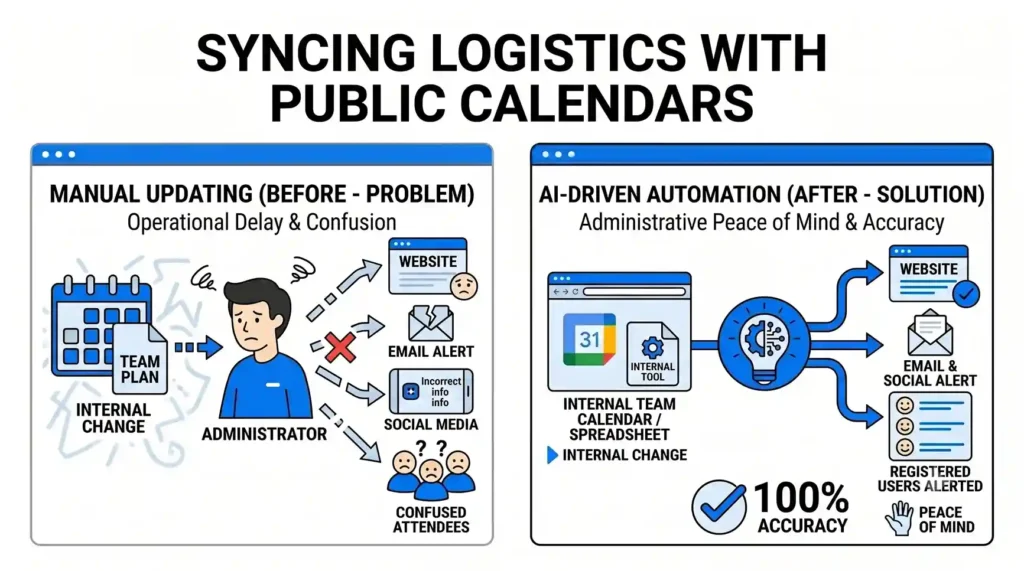
If you are managing an organization like a school or parish – similar to our brand project with St. John the Evangelist – schedules change constantly. A rainy day moves an outdoor festival inside, or a speaker cancellation shifts a seminar back by an hour. Manually updating the website, emailing attendees, and changing social media alerts is a massive operational delay.
- How AI Helps: By connecting your website to your internal scheduling tools (like a Google Calendar or team spreadsheet), an AI monitor acts as a bridge. The moment you update the time or location internally, the AI automatically rewrites the event description on the website and alerts registered users of the change.
- The Benefit: Total administrative peace of mind. Your public pages are always 100% accurate, preventing confused attendees from showing up at the wrong time or location.
The Outcome: Higher Attendance with Zero Manual Tracking
An event page is only successful if it bridges the gap between digital interest and physical attendance. By using AI to handle calendar syncing, automate personal reminder schedules, and update layout data in real-time, you turn your event page into an active organizational assistant. Your team stops chasing attendees, and your platform ensures your community shows up.
At Nuclay Solutions, we specialize in building these automated, highly functional digital ecosystems. We help you use smart workflows to handle administrative details so you can focus on hosting an excellent event.
Are Your Event Dates Sitting Silently On A Page?
Make your website help people show up. Connect with the Nuclay team to automate your event pages.
Automate Your Event Pages