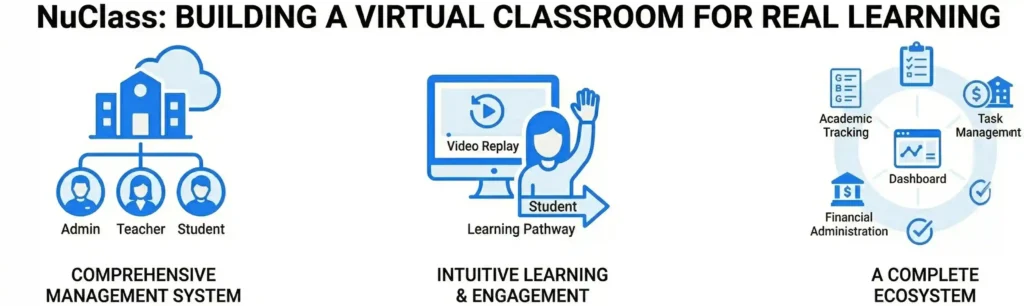
NuClass: Building a Virtual Classroom for Real Learning
Online education should be about more than just a video call. Most virtual learning tools are generic platforms that were never built for the specific needs of a school. They often feel like administrative chores rather than a lively environment for students and teachers. When Nuclay built NuClass, the goal was to move beyond “generic software” and create a customizable school management system that simplifies the entire educational journey. NuClass is designed to ensure that learning never stops, providing a seamless digital home for schools, institutes, and private educators. A Comprehensive Management System A school is a complex organization with moving parts that extend far beyond the classroom. NuClass was engineered to handle these organizational needs in one integrated tool. Instead of jumping between different apps for fees, grades, and classes, administrators can monitor every aspect of their school from a single dashboard. The platform integrates four core modules: Strategic Architecture for Three Distinct Users A virtual classroom must serve three different groups of people, each with their own goals. NuClass features a strategic architecture that provides separate logins and customized access levels for Admins, Teachers, and Students. To combat the passivity often found in online learning, we included engagement-driven features like the “Raise Hand” option. This ensures that the digital environment remains interactive. Furthermore, the software helps define “Learning Pathways,” creating a clear roadmap for students so they always understand their educational journey and what is expected of them next. Designing an Intuitive Learning Experience A significant portion of the work on NuClass focused on the User Experience (UX). Many management tools are difficult to navigate, which creates “technical friction” that gets in the way of teaching. We focused on making NuClass “simple yet unique.” Empowering Educators with Instructional Tools In a digital space, teachers need tools that allow students to learn at their own pace. NuClass includes a Video Replay feature, allowing teachers to share and reshare recorded lessons. This is essential for students who need to review complex topics or those who might have missed a live session. To ensure broad accessibility, NuClass is offered on a Freemium Model, meaning the basic version is available at no cost. For schools ready to transition to a full digital ecosystem, we provide live demonstrations to show exactly how the platform can be customized to fit their specific curriculum and administrative needs. The Outcome: A Specialized Educational Ecosystem The partnership between the NuClass vision and Nuclay Solutions engineering resulted in a platform that truly understands the classroom. By combining school management, financial tracking, and interactive learning into one seamless interface, NuClass removes the administrative burden from teachers and students. The final product is a “Smart School” solution that proves online learning can be just as engaging and organized as a physical classroom. With a focus on simplicity and engagement, NuClass ensures that technology serves the education, rather than the other other way around. Generic Video Tools or Real Learning? Is your school ready to move beyond basic calls? Connect with the Nuclay team to explore how the NuClass platform can transform your institution. Explore NuClass Now .nuclay-minimal-cta a:hover { transform: translateY(-2px); background-color: #2b82ff; transition: all 0.2s ease; }