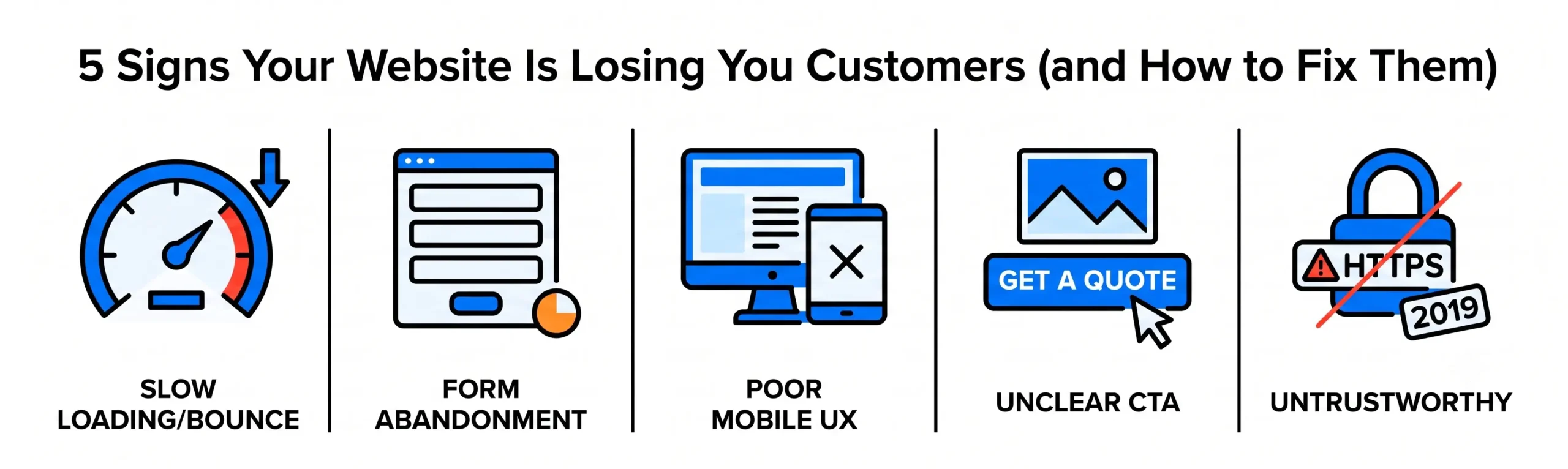
The fastest way to lose a new customer is to make them fill out a long, confusing form.
Whether you are looking for quotes, booking a service, or signing up for a consultation, your website form is the main gate to your business. Yet, many companies make a big mistake here: they try to collect too much information all at once. When people see a long page filled with tricky questions, they get tired of typing and leave your site.
Simple AI tools can fix this problem. By using technology to trim down your forms and simplify the wording, you can double your sign-ups and make the whole process much friendlier for your customers.
1. Dropping Extra Questions by Using Smart Research
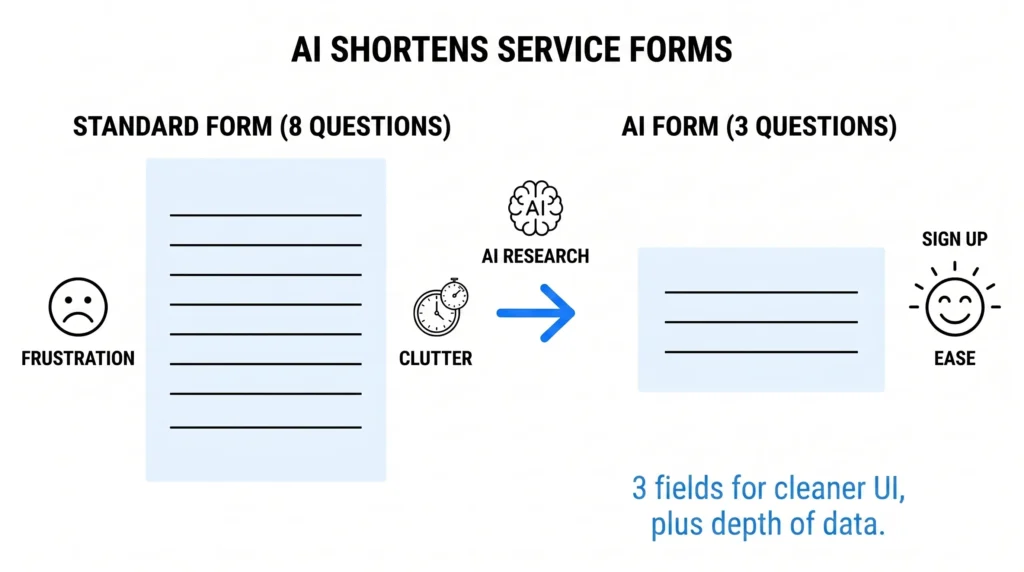
The number one rule of web design is simple: the fewer boxes a person has to fill out, the more likely they are to finish the form. However, your team still needs some background facts to understand the customer before jumping on a call.
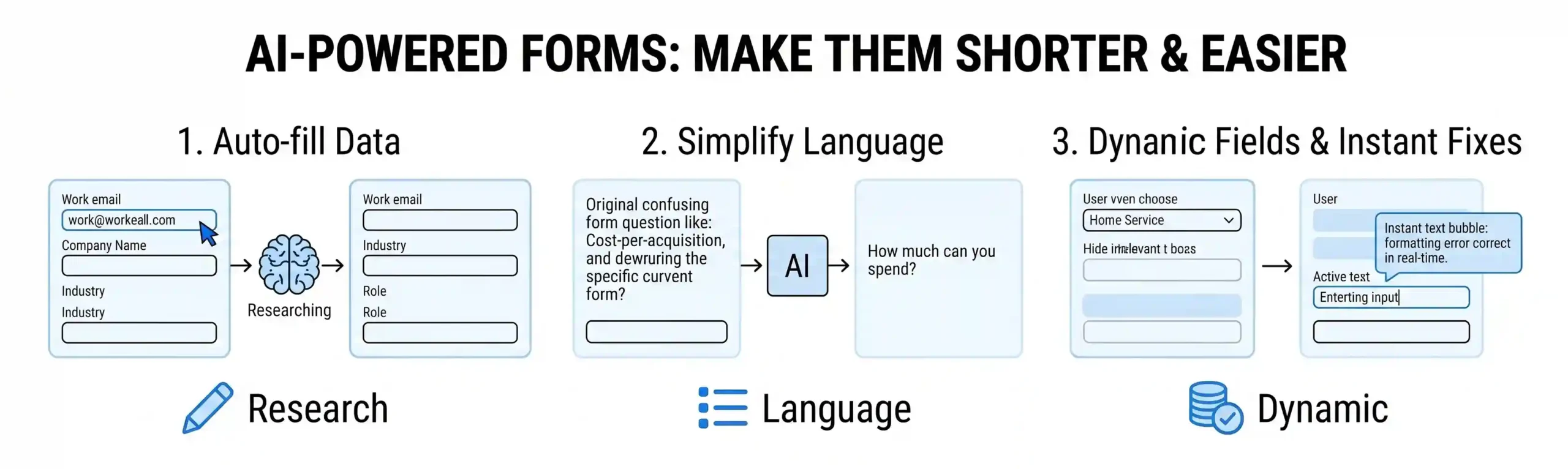
- How AI Helps: Instead of forcing a user to manually type in their company name, industry type, job title, and address, AI can do that research for you behind the scenes. The moment a customer types in their work email, the AI quickly looks up public business records to find those extra details automatically.
- The Benefit: You can turn an 8-question form into a short 3-box form (usually just Name, Email, and Main Goal). Your website looks incredibly clean to the customer, but your team still gets all the background data they need.
2. Trading Industry Jargon for Simple Words
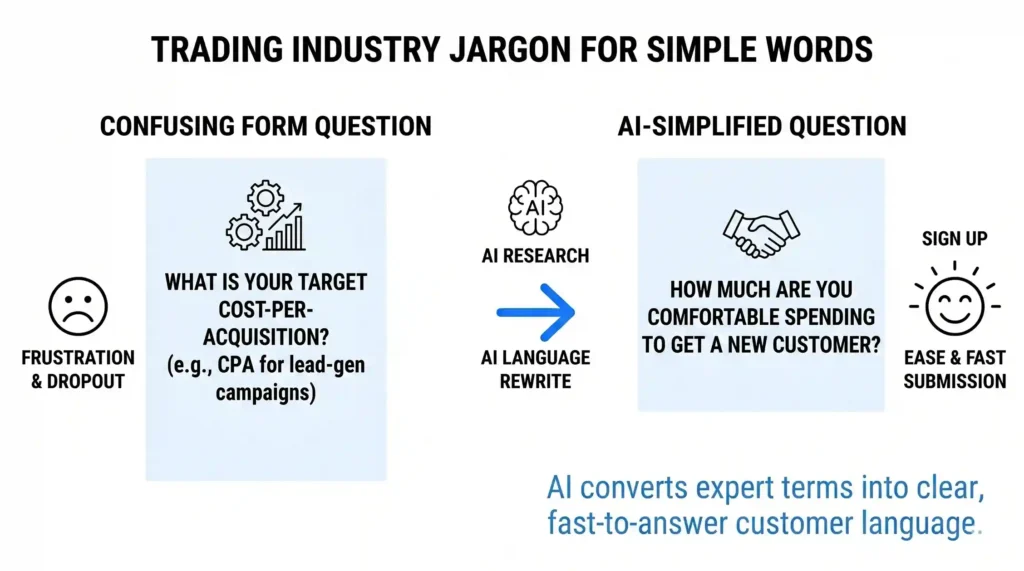
When experts create website forms, they often use confusing industry language. For example, if a marketing company asks: “What is your target cost-per-acquisition?”, a local business owner might not know what that means.
- How AI Helps: AI tools can read your current form questions and rewrite them into everyday language. It strips away the complicated terms and focuses on what the customer actually wants to say.
- The Benefit: The AI changes that confusing marketing question into a simple option: “How much are you comfortable spending to get a new customer?” When people understand a question clearly, they answer it quickly and keep moving forward.
3. Hiding Boxes That Don’t Apply to the Customer
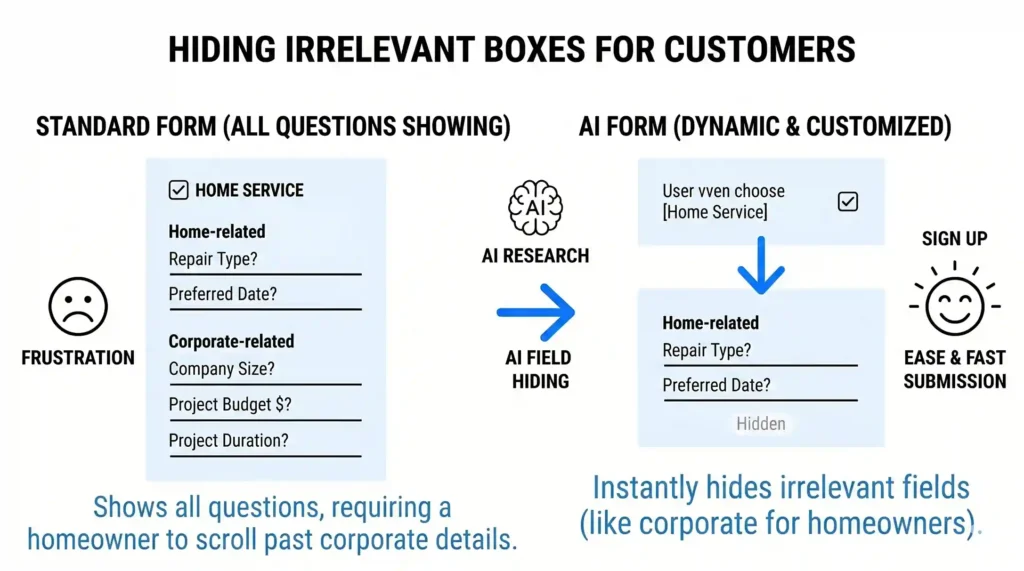
A standard, old-fashioned website form shows the exact same list of questions to every single visitor. This means a customer looking for a quick $50 home repair has to scroll past giant questions meant for a large corporate project.
- How AI Helps: AI creates a form that changes dynamically based on the answers a user selects. If a customer clicks “Home Service,” the form instantly hides all the corporate questions and only shows home-related options.
- The Benefit: The form feels incredibly short and customized. The customer only sees questions that directly match their problem, which keeps them happy and removes the temptation to click away.
4. Fixing Mistakes Instantly Before You Hit Submit
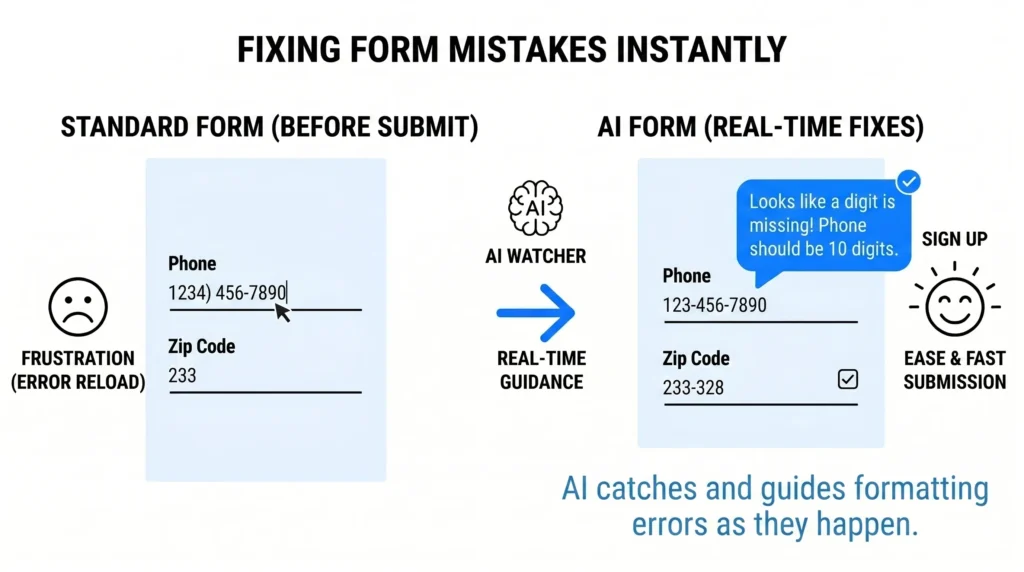
There is nothing more annoying than spending time filling out a form, clicking “Submit,” and having the page reload with angry red error messages because a phone number format or zip code was entered slightly wrong.
- How AI Helps: Simple AI tools watch the form as the customer types in real-time. If a user types a messy description or forgets a digit in a number, a friendly text bubble pops up instantly to guide them before they try to send it.
- The Benefit: This prevents frustration. By fixing small typing mistakes on the fly, you make sure the submission goes through smoothly on the very first try.
The Outcome: More Leads with Much Less Effort
A website form shouldn’t feel like a test; it should feel like the start of an easy conversation. By letting AI do your background research, simplify your questions, and hide irrelevant boxes, you turn a boring chore into a fast, painless process.
At Nuclay Solutions, we focus on removing the roadblocks from your website. We help you install these smart, simple forms so you can stop losing customers at the final step and start growing your business faster.
Are Your Website Forms Pushing Clients Away?
Stop losing leads to long questionnaires. Connect with the Nuclay team to double your sign-ups with smart, shorter forms.
Simplify Your Forms Now