An FAQ page should be based on real customer questions, not guessing games.
Many businesses build a Frequently Asked Questions (FAQ) page when they first launch their website and then never touch it again. Over time, that page becomes an outdated archive of things you thought customers would ask, while your support inbox fills up with the actual questions your users are struggling with daily.
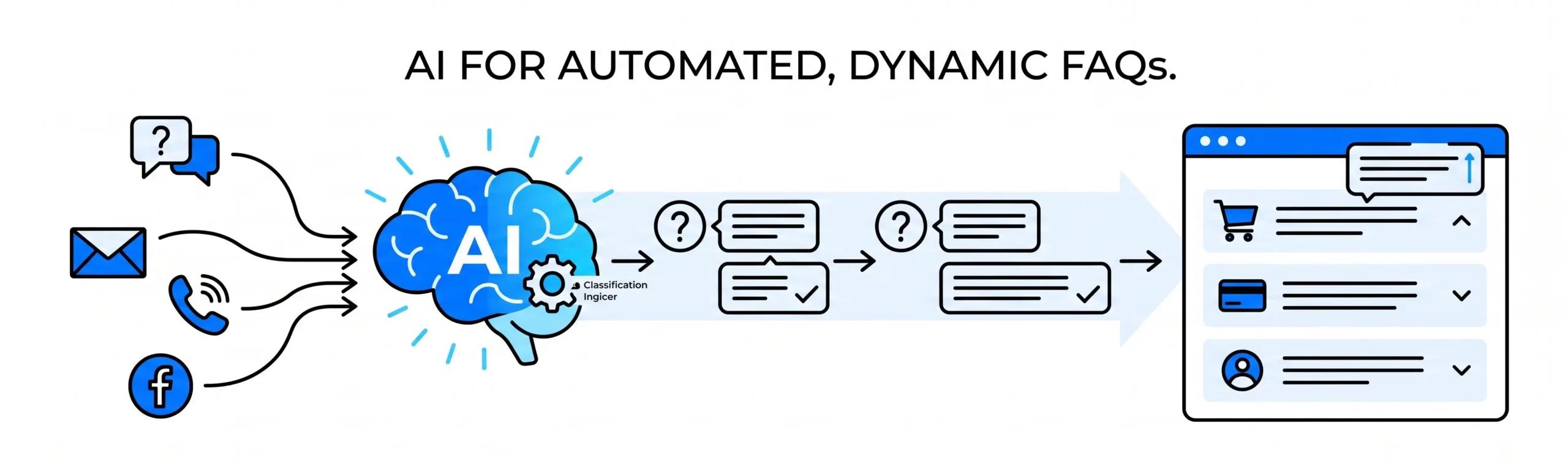
In 2026, AI-assisted support tools remove the guesswork from content management. By using simple AI systems to track customer interactions, you can automatically detect repetitive inquiries and update your website with clear, direct answers before the next support ticket is even submitted.
1. Detecting Repeated Inquiries Automatically
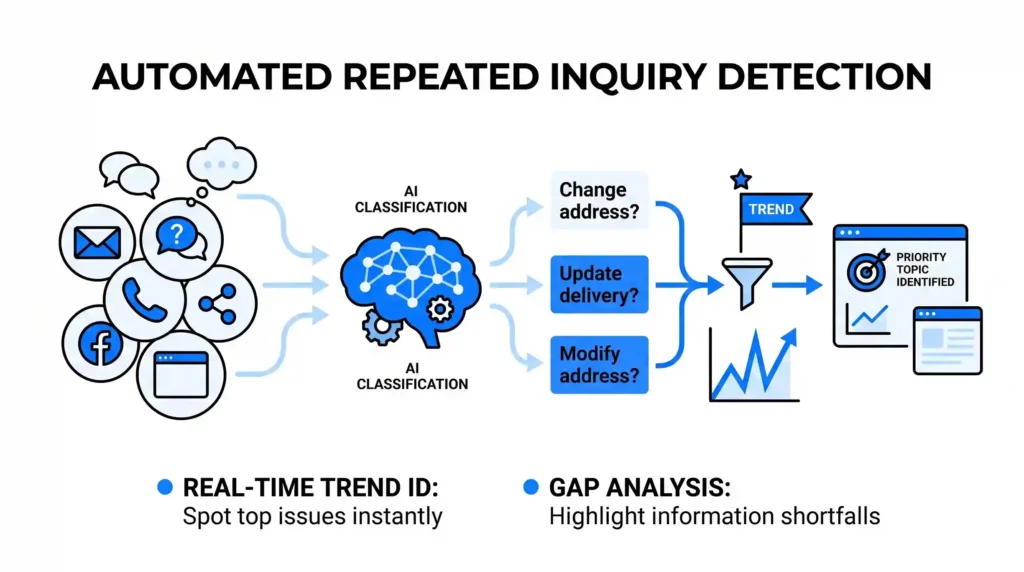
Your customer support team, sales reps, and inbox managers handle dozens of messages every day. It is difficult for a human to manually track how many times a specific question is asked across email, live chat, and social media.
- How AI Helps: AI text classification tools run quietly in the background of your communication channels. They scan incoming tickets and group them by topic. If the AI notices a sudden increase in variations of a specific question-like “Can I change my delivery address after ordering?”-it flags it as a priority trend.
- The Benefit: You don’t have to wait for your support team to compile a monthly report. The AI tells you exactly what your customers are confused about in real-time, highlighting the gaps in your current website information.
2. Suggesting Simple, Direct Answers
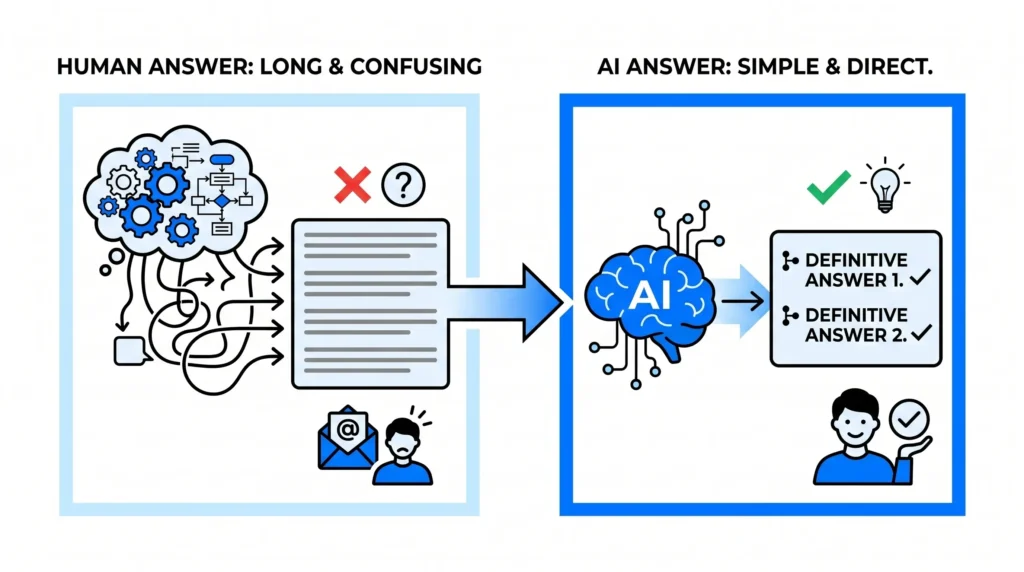
Once a trending question is identified, the next challenge is writing a response that is easy to understand. When humans write FAQs, they often add unnecessary background information that makes the answer long and confusing.
- How AI Helps: The AI looks at how your team successfully resolved those specific tickets in the past. It then summarizes those resolutions into a single, benefits-focused response. It trims away technical details and presents a simple, step-by-step answer.
- The Benefit: Your FAQ page stays clean and direct. Instead of a paragraph of text, the visitor gets a definitive two-sentence answer that solves their problem instantly, preventing them from needing to email your team.
3. Keeping Content Up-to-Date Without Code
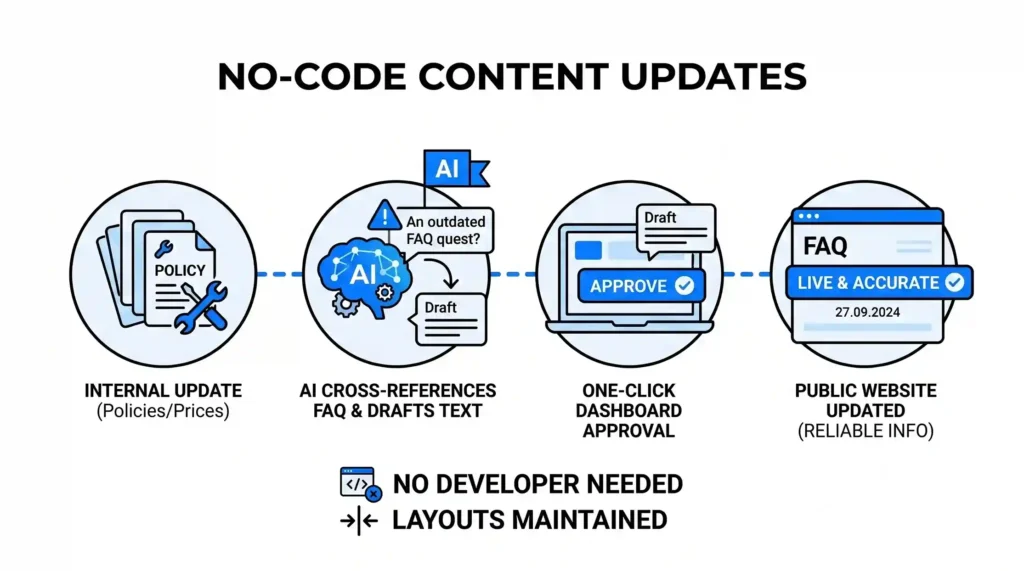
As your services, policies, or prices change, your FAQ page must change with them. An outdated FAQ page is worse than having no FAQ page at all, as it can mislead customers and cause compliance issues.
- How AI Helps: When you update an internal policy document or a service description, an AI assistant can cross-reference your public FAQ page. If it finds a conflict-such as an old return window listing-it flags the outdated question and drafts the updated text for your approval.
- The Benefit: You can update the text with a single click from your dashboard, without needing a developer to change the layout or write code. This ensures your website always displays accurate, reliable information.
4. Organizing Layouts by Real-User Relevance
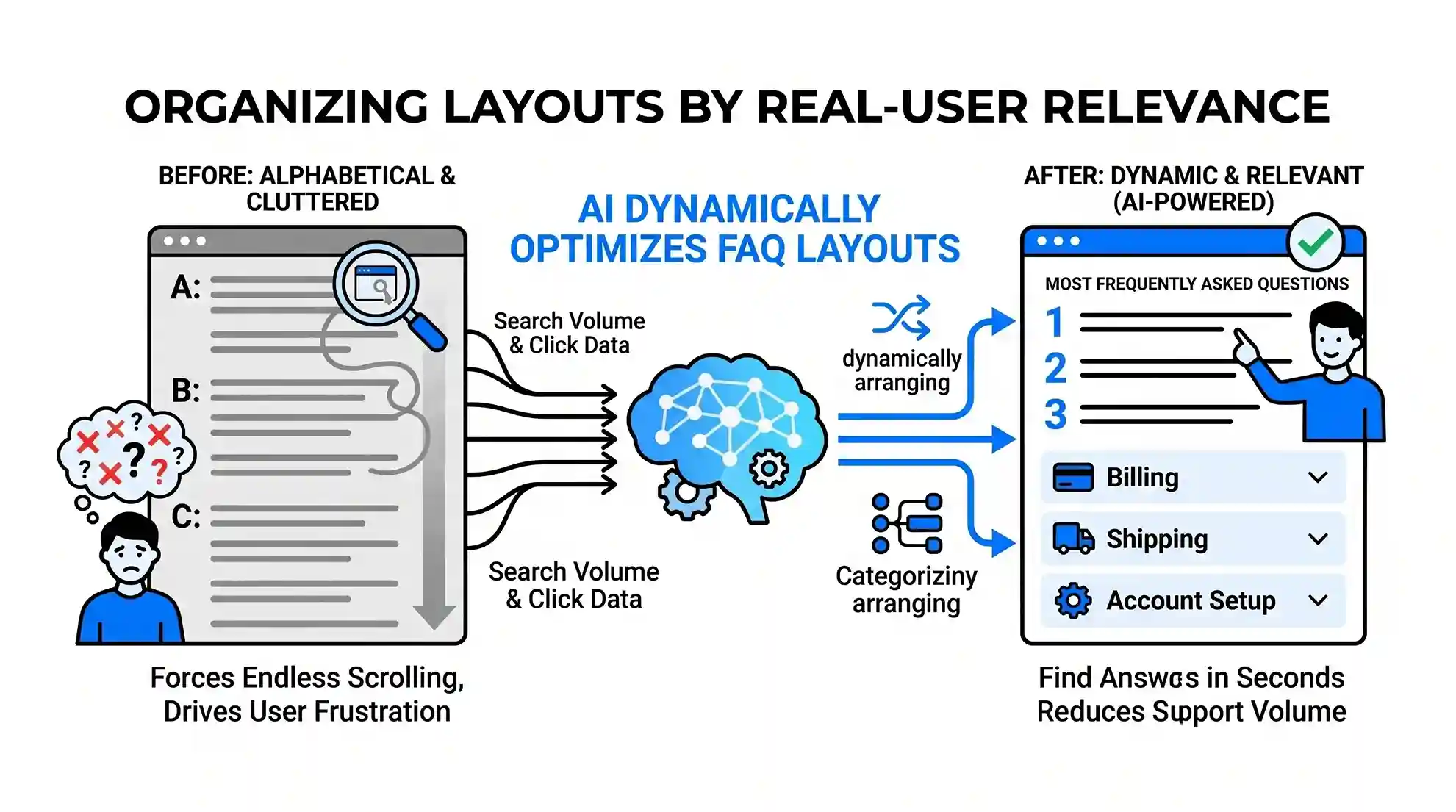
Many FAQ pages are organized alphabetically or in a long, unorganized list that forces users to scroll endlessly. This clutter causes frustration and drives users to abandon the page.
- How AI Helps: Based on search volume and click data, AI dynamically moves the most frequently asked questions to the top of the page. It can also categorize questions under simple, expandable tabs like Billing, Shipping, or Account Setup.
- The Benefit: Visitors find what they need in seconds. By arranging the page based on what users are actually looking for right now, you significantly reduce your inbound support volume.
The Outcome: A Self-Improving Help Center
An effective FAQ page is an active tool that saves your team time and removes friction for your buyers. By letting AI track repeated questions, simplify the answers, and manage the updates, you turn a static text page into a dynamic, self-improving help center.
At Nuclay Solutions, we specialize in building these automated feedback loops. We help you connect your customer support insights directly to your website architecture, ensuring your digital presence stays simple, relevant, and automated.
Answering Real Questions or Still Guessing?
Stop losing users to outdated content and endless scrolling. Connect with the Nuclay team to seamlessly automate your website FAQs.
Automate Your FAQs